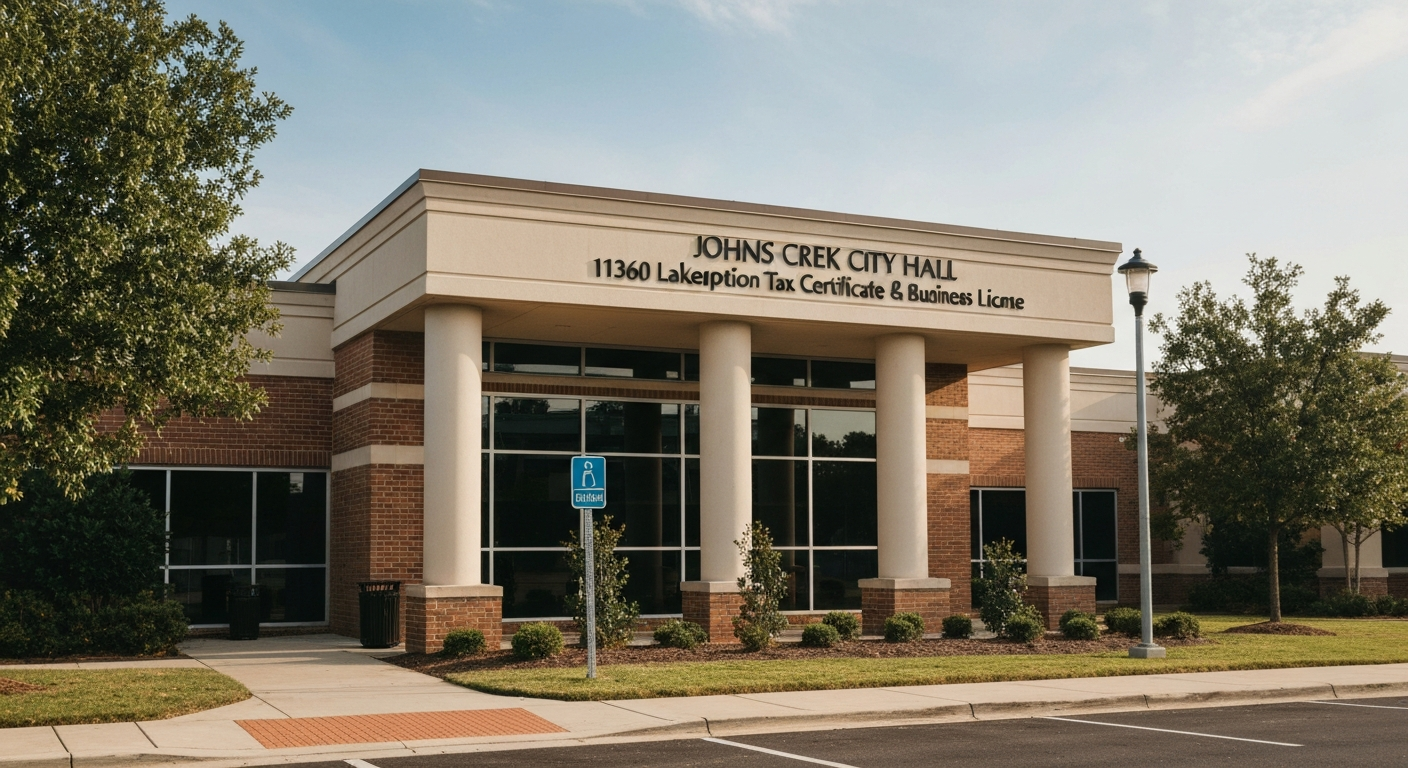
Johns Creek, Georgia Business License: Everything You Need to Get Your Occupation Tax Certificate
What Johns Creek Calls a Business License
Johns Creek does not issue a “business license.” The official document is an Occupation Tax Certificate — and that terminology is important because it describes what the tax actually is: a tax on the privilege of doing business within the city, calculated on your occupational activity.
Functionally, the Occupation Tax Certificate is identical to what most people mean when they say “business license.” You need one before you open. You renew it annually. You must display it at your place of business.
Key facts:
- Required for every business operating within Johns Creek city limits — including home-based businesses
- Valid January 1 through December 31
- Must renew annually by March 31
- Not transferable — if a business changes ownership, the new owner must apply fresh
Revenue Division:
- Address: 11360 Lakefield Drive, Johns Creek, GA 30097
- Phone: (678) 512-3242
- Email: [email protected]
- Hours: Monday–Friday, 8:00 AM – 5:00 PM
Apply online via the Customer Self-Service (CSS) portal at johnscreekga.gov or in person at City Hall. As of 2025, Johns Creek no longer mails renewal forms — everything is digital. If you do not receive an email renewal notice, you are still responsible for paying on time.
How Johns Creek Calculates Your Tax
This is where Johns Creek differs from most Georgia cities. Instead of a simple flat fee or a single per-employee charge, Johns Creek uses a formula with four components:
$75 non-refundable administrative fee (everyone pays this) + $50 flat rate (covers the first $20,000 of gross revenue) + $13 per employee (full-time equivalents) + variable rate per $1,000 of gross revenue above $20,000 (based on your NAICS fee class)
The NAICS fee class system: Your NAICS code — which appears on your federal tax return and can be looked up at census.gov/naics — places your business into one of 24 fee classes based on the profitability ratio of your industry. Lower profitability industries get lower rates; higher profitability industries get higher rates.
Rate range:
- Fee Class 1 (lowest profitability): $0.50 per $1,000
- Fee Class 8: $1.35 per $1,000
- Fee Class 16: $1.75 per $1,000
- Fee Class 24 (highest profitability): $2.20 per $1,000
Employee count: Count full-time equivalents (FTEs). For part-time employees, add up their total weekly hours and divide by 40. A part-timer working 20 hours per week = 0.5 FTE. The owner/operator counts as one employee.
Worked Example #1: Solo web designer
- Gross revenue: $75,000
- NAICS fee class 10 ($1.45/thousand)
- 1 employee (owner)
- Calculation: $75 + $50 + $13 + ($55,000 × $1.45/thousand = $79.75)
- Total: $217.75
Worked Example #2: Small restaurant
- Gross revenue: $400,000
- 8 employees
- NAICS fee class 3 ($0.85/thousand)
- Calculation: $75 + $50 + ($8 × $13 = $104) + ($380,000 × $0.85/thousand = $323)
- Total: $552
For most small businesses, this system produces a lower total than cities that charge flat per-employee fees. The 24-tier approach is more complex to understand up front, but it is genuinely favorable for low-margin businesses.
Professional Practitioners: Lawyers, CPAs, physicians, architects, engineers, surveyors, and cosmetologists may elect a flat $400 per practitioner instead of the gross receipts formula — whichever produces a lower result. This is the professional practitioner election under O.C.G.A. § 48-13-9(c). For a small practice with high revenue, $400/practitioner is usually the better choice.
Financial Institutions: Banks and financial institutions use a different formula: 0.25% of gross receipts, with a $1,000 minimum.
Required Documents and Affidavits
Gather these before you start your application. Missing documents will delay issuance.
1. Completed Business Tax Return Application Available through the CSS portal at johnscreekga.gov or in person at the Revenue Division. This is the core application form — it captures your business name, NAICS code, gross revenue estimate, employee count, and business address.
2. SAVE Affidavit Required by Georgia state law (O.C.G.A. § 50-36-1). You must verify lawful presence in the United States. The affidavit must be:
- Notarized (notary services available at City Hall)
- Accompanied by a copy of a Secure and Verifiable Document — a Georgia driver’s license, U.S. passport, or other qualifying government-issued ID
3. E-Verify Affidavit Required by Georgia state law (O.C.G.A. § 36-60-6):
- 11 or more employees working 35+ hours/week: you must be registered with the federal E-Verify program. Provide your E-Verify user number (a 4–6 digit numeric code)
- Fewer than 11 employees: file an exemption affidavit instead
Both affidavits must be notarized. If you are applying in person, bring your notarized originals. If applying via CSS portal, you will upload copies.
4. State Professional License (if applicable) If your business requires a Georgia state professional license — plumbing, electrical, HVAC, cosmetology, law, medicine, engineering, etc. — provide a copy with your application. The license must be current and in good standing.
5. Georgia Secretary of State Registration Confirmation If you filed as an LLC or corporation, bring your Certificate of Formation or Articles of Incorporation as confirmation.
6. Non-Profit Documentation (if applicable) Non-profit organizations are exempt from the occupation tax but must still register. Submit the Non-Profit Registration Form plus your IRS 501(c) determination letter.
Zoning Approval and Inspections
You do not need to schedule zoning review or fire inspections separately. When you submit your Occupation Tax Certificate application, the Revenue Division routes it to Planning & Zoning and the Fire Department automatically.
Planning & Zoning: Reviews whether your business activity is permitted under the zoning classification of your location. This happens before the certificate is issued. If your location is not zoned for your type of business, the application is denied.
Fire Department Inspection: Required for commercial locations. The inspector verifies the space meets fire code for your business type.
Certificate of Occupancy: For commercial (non-home) locations, a Certificate of Occupancy is required. Issued by the Community Development Department after fire and zoning approvals.
Home-Based Businesses: Must comply with Article 4.12 of the Zoning Code (Home Occupation rules):
- No signage visible from the street
- No non-resident employees working on-site
- No customer traffic beyond incidental levels
- No exterior modifications that signal business activity
- Business Tax Certificate still required
Type B Home Occupation (customer-facing home businesses — tutors, therapists, etc.): additional zoning review applies.
Deadlines, Penalties, and Renewals
New businesses: Apply within 30 days of commencing business in Johns Creek. Operating without a certificate after 30 days puts you out of compliance and subject to penalties retroactively.
Annual renewal:
- Due: March 31 each year
- Notice: sent by email (not mail) before expiration as of 2025
- If you do not receive a renewal notice, you are still legally responsible for renewing on time
- Complete renewals through the CSS portal (recommended) or in person at City Hall
Late filing penalties:
- 10% of the amount owed for each calendar year or portion thereof not paid on time
- 1.5% per month interest on delinquent amounts
Pro-rata for mid-year openings: If you open after July 1, ask the Revenue Division about a partial-year rate — Georgia cities have discretion on this, and Johns Creek may prorate the occupation tax for businesses that commence after mid-year.
Special Licenses in Johns Creek
Beyond the Occupation Tax Certificate, certain business types require additional city licenses:
Alcoholic Beverage Licenses:
- New application fee: $1,130
- Renewal fee: $100
- Consumption on premises — liquor: $3,000 / beer: $400 / wine: $400
- Package (off-premises) — liquor: $3,500 / beer: $500 / wine: $500
- Sunday sales permit: $250
Contact the Revenue Division at (678) 512-3242 for the full application packet. Background checks and zoning review apply.
Solicitor/Door-to-Door Sales Permit: $75 per solicitor, valid for 6 months. Required for any person soliciting door-to-door in Johns Creek.
Taxicab: $150 per vehicle + $50 driver’s permit.
Massage Establishments and Spas: $250 license fee + $50 background investigation per applicant.
Escort Services: $250 license fee + $50 background investigation.
Excise Taxes:
- Hotel/motel businesses: 7% excise tax on room charges
- Rental motor vehicle businesses: 3% excise tax on rental charges
Quick Reference — Common Situations:
| Business Type | Annual Cost Estimate |
|---|---|
| Solo home-based (fee class ~10, $50K gross) | ~$168 |
| Solo professional practitioner | $475 (admin + practitioner flat) |
| Small retail shop, 3 employees, $200K gross, fee class 5 | ~$400–$500 |
| Restaurant, 8 employees, $400K gross | ~$552 |
| Financial institution (bank branch) | 0.25% of gross receipts, min $1,000 |
Johns Creek’s CSS portal makes the entire process manageable online. New businesses should bookmark johnscreekga.gov and start with the CSS portal to avoid an unnecessary trip to City Hall.
Understanding the 24-Tier NAICS System in Plain English
Most people see “24-tier NAICS profitability index” and assume it will be complicated. Here is the plain-English version of how it works:
Step 1: Find your NAICS code. Your NAICS code is on your federal income tax return — on Schedule C (sole proprietors), Form 1065 (partnerships), or your corporate return. If you have not filed yet or are starting fresh, use the NAICS lookup tool at census.gov/naics. Enter a description of your business activity and the search returns the appropriate 6-digit code.
Step 2: The city assigns your fee class. Johns Creek maps each NAICS code to one of 24 fee classes based on the profitability ratios published by the U.S. Census Bureau for that industry. Industries with historically low profit margins (like grocery retail, food service, and general contracting) get lower fee classes. Industries with historically high margins (like financial services, legal, and software) get higher classes.
Step 3: Apply the rate to your gross revenue above $20,000. Once you know your fee class, you multiply the rate (cents per $1,000 of gross revenue) against your gross receipts above $20,000. The first $20,000 is covered by the flat $50 rate regardless of which fee class you fall into.
Why this benefits most small businesses: Compare Johns Creek’s system to a city that charges $200 per employee flat rate. A sole proprietor with three employees would owe $600 just in employee fees before any base charge. Under Johns Creek’s system with $100,000 in gross revenue and a mid-tier fee class, the total is typically under $300. The NAICS system rewards businesses that are growing revenue before scaling headcount.
What if my NAICS code is wrong? If you are unsure of your code or believe the city assigned you to the wrong fee class, contact the Revenue Division at (678) 512-3242 or [email protected] before submitting payment. You can request clarification. Using the wrong NAICS code and underpaying is a compliance issue — the city can assess back taxes, penalties, and interest.
The CSS Portal: How Online Applications Work
Johns Creek’s Customer Self-Service (CSS) portal is a genuine advantage for entrepreneurs who prefer handling bureaucratic tasks from their desk rather than driving to City Hall. Here is what the portal lets you do:
- New applications: Complete and submit your initial Occupation Tax Certificate application
- Renewals: Renew your certificate annually by March 31 without appearing in person
- Payments: Pay by credit card, debit card, or electronic check
- Document uploads: Upload your SAVE Affidavit, E-Verify documentation, and professional license copies
- Status tracking: Monitor your application status and approval progress
- Change of information: Notify the city of address changes, ownership updates, or employee count changes
What the portal cannot do: Notarization still requires a human notary. If you need to notarize your SAVE Affidavit and do not have a notary available, City Hall offers notary services during business hours (Monday–Friday, 8:00 AM – 5:00 PM). You can also use a UPS Store, bank, or independent notary for this step.
Portal access: Navigate to johnscreekga.gov and look for the “CSS Portal” or “Customer Self-Service” link. You will create an account on first use. Keep your login credentials — you will use the same account for renewals every year.
What Happens If You Miss the Deadline
The March 31 renewal deadline is firm. Here is exactly what happens if you miss it:
Immediate consequences (April 1 and after):
- 10% late filing fee is added to your total obligation. If you owed $400, the late fee adds $40 immediately on April 1.
- 1.5% per month interest begins accruing on the total outstanding balance.
Ongoing delinquency: Interest continues at 1.5% per month — equivalent to an 18% annual rate — until the balance is paid in full. On a $400 certificate, three months late adds approximately $18 in interest on top of the $40 penalty.
Certificate revocation: The city has authority to revoke your Occupation Tax Certificate for non-payment. Operating without a valid certificate can result in further penalties and, in egregious cases, business closure orders.
If you genuinely missed the email notice: Contact the Revenue Division at (678) 512-3242 as soon as possible. Paying promptly after discovery limits the penalty and interest accumulation. The city cannot waive the 10% late fee, but acting quickly minimizes the damage.
If you close your business: Notify the Revenue Division in writing before the renewal deadline. Submitting a renewal for a business that has closed and then failing to pay creates a delinquency on the record. A brief written notification closes the account cleanly.
Home Business Owners: What You Need to Know
Running a business from your home in Johns Creek is permitted — but the process involves two separate compliance issues: the Occupation Tax Certificate and the Zoning Code requirements.
The Occupation Tax Certificate: Required regardless of where your business operates. Home-based businesses are not exempt. Apply the same way as a commercial business — through the CSS portal or in person at the Revenue Division. The fee formula is identical.
Article 4.12 of the Zoning Code: This is the “Home Occupation” section of Johns Creek’s zoning ordinance. Key restrictions include:
- No exterior signage visible from the street or neighboring properties
- No non-resident employees working at the home address
- No customer traffic that is more than incidental (a neighbor should not be able to tell a business is operating from looking at the home)
- No exterior modifications that signal commercial activity
- No noise, odors, or traffic beyond what is typical for a residential neighborhood
- Storage restrictions: materials and equipment related to the business must be stored inside the home or garage — no outdoor storage of commercial equipment
What is permitted: Professional services that are conducted entirely by the resident owner, primarily by phone or computer, with clients met at external locations. Many Johns Creek residents operate consulting practices, design businesses, financial advisory services, and technology companies from home addresses without issue.
Type B Home Occupation: If you want to have customers come to your home — tutors, therapists, personal trainers, musicians giving lessons — this falls under a more restrictive category requiring specific zoning review. Contact the Planning & Zoning Division to confirm what is permitted at your specific address before advertising your home address to clients.
If you are unsure whether your home business activity complies with Article 4.12, call the Community Development Department at City Hall for a pre-application review. It is a brief conversation that can prevent a costly compliance problem later.